
The PC industry has never been shy about creating labels. Multimedia PC. Internet PC. Ultrabook. Creator laptop. Gaming rig. Workstation. Some of those labels described real shifts in architecture or use. Others mostly offered marketing teams a new sticker for the palm rest.
“AI PC” has the same problem. It describes a real change, but with very little precision. The term can mean a Windows laptop with an NPU capable of running local AI features. It can mean an Arm-based Copilot+ PC optimized for mobility and battery life. It can mean a high-end Intel or AMD Windows machine that preserves x86 compatibility while adding serious AI acceleration. It can mean an Apple Silicon Mac, which brings a different hardware, software, and privacy model to the same conversation. It can also mean a compact workstation designed to run demanding local AI workloads.
Those machines do not belong to a single undifferentiated category. A buyer who treats all AI PCs as equivalent will end up comparing Federation phasers to Klingon disrupters. Worse, they may buy an efficient AI-assisted laptop expecting workstation-class local AI performance, and end up with buyer’s remorse.
The AI PC conversation needs a better taxonomy.
What Makes a PC an AI PC?
A modern PC relies primarily on the CPU and GPU. I say modern, because most PCs until 2010 didn’t ship with a graphics processor on board or otherwise. In 2010, graphics in package and then in 2011, integrated graphics on the same die with the Sandy Lake architecture.
A decade earlier, NVIDIA changed the marketing-speak from “graphics” board to GPU, but the now-ubiquitous boards weren’t common beyond gaming and graphics workstations. Most PCs relied on the CPU to handle general-purpose computing. The GPU was designed to handle graphics, and eventually, co-opted for parallel compute, and AI-related workloads.
An AI PC adds a neural processing unit, or NPU, to the architecture and the nomenclature. NPUs run selected AI models, often with lower power consumption than the CPU or GPU would require for the same task.
Microsoft’s Copilot+ PC definition gives the Windows market a practical baseline. Microsoft says Copilot+ PCs include an advanced 40+ TOPS NPU for AI-specific workloads, and its developer guidance says many new Windows AI features require an NPU capable of 40+ TOPS. Microsoft Copilot+ PC business guidance and Microsoft Windows AI developer guidance establish the clearest dividing line in the current Windows AI PC market.
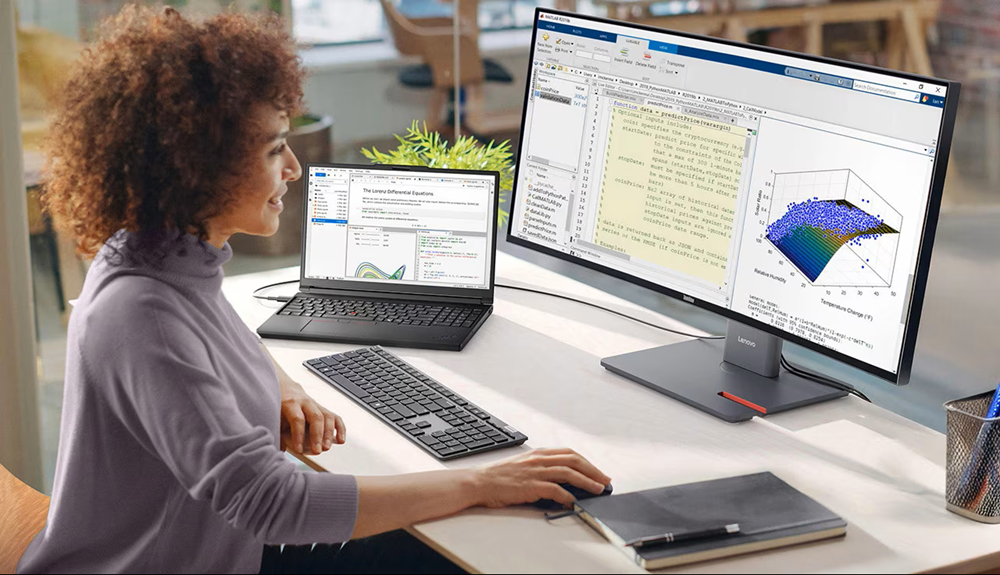
That requirement helps, but it does not settle the matter. TOPS, or trillion operations per second, is a useful qualification threshold. It does not constitute a complete definition sufficient to inform a buying strategy. A system with a qualifying NPU may still be constrained by memory, thermals, software compatibility, storage, graphics, drivers, battery tuning, or enterprise management requirements.
The NPU also does not replace the CPU or GPU. AI PCs are heterogeneous computing systems. The CPU, GPU, and NPU each take on different tasks. The practical question is not whether a PC “has AI.” The better question is which AI workloads run locally, how quickly they run, how much power they consume, and whether the applications in use can address the right processor.
What AI PCs Do Today
The first wave of AI PC value is useful but very modest. It includes live captions, translation, camera effects, audio cleanup, image tools, background tasks, local search, accessibility features, and AI-assisted creative workflows. I refer to most of this as “autonomic AI,” meaning things that just happen, much like the brain tells us to breathe without us “thinking” about it. Some features are built into Windows. Some arrive through OEM software. Others depend on applications such as Microsoft 365, Teams, Zoom, Adobe Creative Cloud, DaVinci Resolve, Audacity, LM Studio, GPT4All, Ollama, or developer frameworks that can exploit local hardware.
The long-term promise is more interesting. AI PCs could become the endpoint for hybrid AI: some inference on the device, some in a private or public cloud, and some dynamically shifted based on latency, policy, cost, privacy, and model size. For businesses, that suggests lower latency, reduced cloud inference expense, more granular data boundaries, and resilience when network access is weak or unavailable.
The caveat is that the software stack is still catching up. Hardware vendors have moved faster than everyday software. Most users will notice AI PCs first through convenience features, not through a wholesale change in work.
A Better Set of AI PC Categories
The AI PC market, then, does not represent a single ladder based solely on NPU TOPS. My model separates AI PCs by role: AI-enhanced PCs, including, Snapdragon Copilot+ mobility systems, high-end Windows AI PCs built on Intel or AMD, Apple Silicon Macs, and AI workstations.
AI-Enhanced PCs
The lowest grade includes PCs with some AI acceleration but not enough dedicated NPU performance to satisfy the current Copilot+ baseline. These systems may improve video calls, reduce background noise, blur backgrounds, adjust eye contact, assist with battery efficiency, or accelerate narrow AI features. They may still be excellent PCs. They just should not be purchased as full AI PCs if the buyer expects Copilot+ features or meaningful local AI workloads.
This is where procurement needs discipline. Some vendors quote aggregate AI performance across the CPU, GPU, and NPU. That number can sound impressive while obscuring the NPU’s actual capability. For Windows Copilot+ qualification, the relevant question is whether the NPU alone meets the 40+ TOPS baseline.
AI-Enhanced PC running Qualcomm’s Snapdragon
Snapdragon X systems gave the first major wave of Copilot+ PCs a visible identity. Qualcomm lists the Snapdragon X Elite with an NPU capable of up to 45 TOPS, which clears Microsoft’s Copilot+ threshold. Qualcomm’s Snapdragon X Elite specifications also emphasize power efficiency and multi-day battery life.
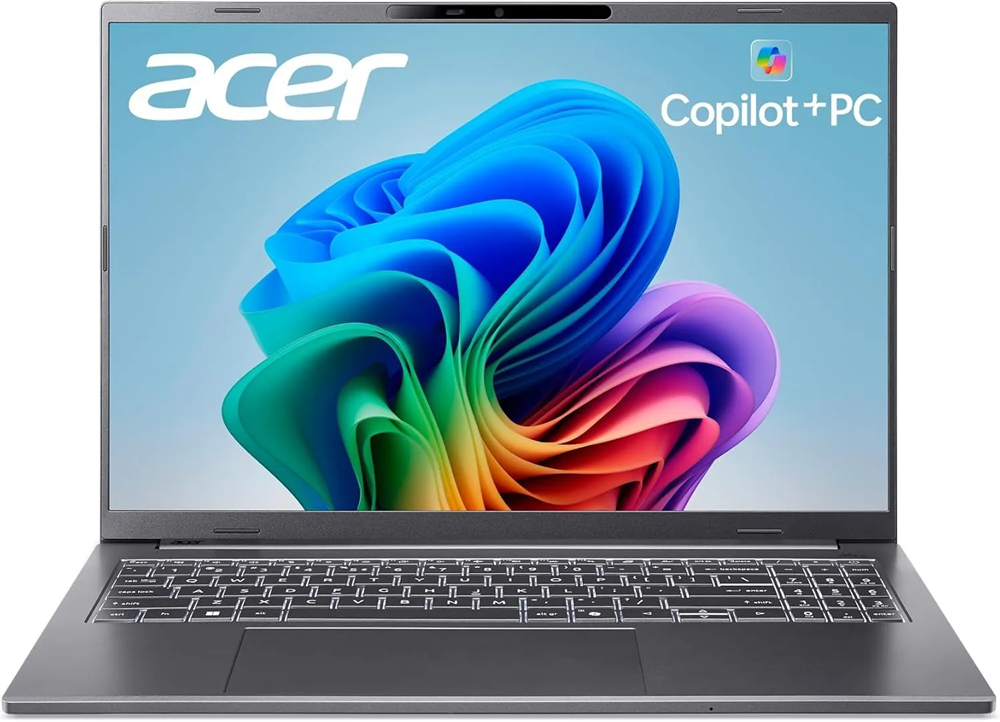
Those strengths should be taken seriously. Snapdragon Copilot+ PCs can deliver excellent battery life, cool operation, fast wake, and a more mobile feel than many traditional Windows laptops. For people who live in browsers, Microsoft 365, Teams, Zoom, Slack, cloud applications, and modern Windows software, Snapdragon can make Windows feel lighter and more persistent.
But Snapdragon coverage needs a hard boundary: it is not designed for standalone local AI work. It is an efficient AI-assisted productivity platform. That point should come before any comparison with Intel, AMD, Apple, or workstations because it defines the platform.
My own GPT4All testing makes the distinction hard to ignore. The same GPT4All work that took three days on a Snapdragon laptop took 24 minutes on an AMD Ryzen™ AI Max PRO 390-equipped HP Z2 Mini G1a with AMD Radeon™ 8050S Graphics and 22 minutes on a Lenovo ThinkPad G16 Gen 3 running a Intel® Core™ Ultra 9 275HX Processor supported by a 24GB NVIDIA RTX PRO™ 5000 Blackwell Laptop GPU. The Snapdragon result came from testing documented in my Acer Aspire 16 AI Qualcomm review. That delta is not a benchmark quibble. It separates AI-assisted mobility from local AI productivity.
Compatibility also remains a factor in the Snapdragon buying decision. Windows on ARM has improved, and many mainstream applications now run well. But the Arm ecosystem is not equivalent to x86 Windows. Native ARM applications run best. Emulated applications may be acceptable. Some drivers, security agents, VPN clients, peripherals, plug-ins, developer tools, older utilities, and specialized applications can still expose the gap between ARM and a traditional x86-based Windows experience.
Snapdragon AI PCs are excellent candidates for modern, mobile, cloud-centered work. They are poor candidates for buyers who expect them to behave like compact AI workstations.
High-End Windows AI PCs: Intel and AMD
Intel Core Ultra and AMD Ryzen AI should not be treated as separate AI PC grades. For buyers, they are different approaches to the same requirement: high-end Windows AI PCs. Intel and AMD will continue to argue over architecture, TOPS, graphics, power envelopes, battery life, AI frameworks, and benchmark wins. Buyers should care more about the whole machine, with companies like HP and Lenovo often selling AMD or Intel configurations of otherwise identical hardware.
This category preserves the core value of Windows: x86 compatibility. That matters for organizations that depend on existing applications, drivers, device management, endpoint security, VPNs, engineering tools, virtualization, creative software, and peripheral chains. Compared with Snapdragon, Intel and AMD systems usually reduce adoption friction.
Intel’s newer Core Ultra platforms moved the company into the Copilot+ conversation. Intel’s Core Ultra 200V materials describe NPU performance up to 48 TOPS. Intel’s Core Ultra Series 2 press kit frames the platform in terms of AI PC performance, efficiency, graphics, and Windows compatibility.
AMD’s Ryzen AI 300 Series takes a similar buyer position from a different silicon strategy. AMD lists Ryzen AI 300 Series NPUs at up to 50 TOPS and emphasizes its XDNA NPU architecture for efficient AI processing. AMD’s Ryzen AI 300 Series information and AMD’s Ryzen AI overview make clear that AMD is competing for the same high-end Windows AI PC territory.
The Intel-versus-AMD distinction matters less than configuration. Memory capacity, memory bandwidth, thermal design, integrated graphics, discrete GPU options, storage performance, battery size, firmware quality, OEM tuning, and enterprise support will shape the experience more than a few NPU TOPS will.
Most business buyers should start here, and will likely be satisfied with their choice. A well-configured Intel Core Ultra or AMD Ryzen AI system can run Copilot+ features, preserve traditional Windows compatibility, and support more demanding local AI experimentation than an efficiency-first Snapdragon laptop. Not every Intel or AMD AI PC can be a workstation, but they can be an adequate companion when the AI work is complementary rather than core.
Apple Silicon Macs, a category of its own
Apple belongs in the AI PC discussion, even though Apple does not frame the Mac through Microsoft’s Copilot+ language. Apple Silicon Macs include the Neural Engine, unified memory, macOS integration, Core ML, Metal, and Apple Intelligence. Apple describes Apple Intelligence as deeply integrated across Mac, iPhone, iPad, and Apple Vision Pro, with privacy designed into the experience. Apple’s Apple Intelligence support requirements set the company’s public position for supported devices and features.
Apple’s advantage is coherence. Apple controls the silicon, operating system, developer frameworks, privacy model, and user experience. Core ML is optimized for on-device performance on Apple silicon while minimizing memory footprint and power consumption, according to Apple Core ML documentation. That vertical integration gives Apple a different position than either Windows on Arm or Windows on x86. 2027 is likely to see Apple announce deep AI integration across devices with iOS 27 and its other platform updates.
Unified memory can make Macs very capable for local model work within the constraints of Apple’s software stack. A Mac with substantial unified memory can run workloads that would challenge many thin Windows laptops. Apple’s M5 announcement emphasized faster Neural Engine performance, unified memory, and improvements to Apple Intelligence and on-device AI tools. That is not the same as saying every Mac is an AI workstation.
The Mac’s limitation is ecosystem fit. If the workload depends on NVIDA’s CUDA proprietary parallel computing and programming platform, specific Windows applications, enterprise Windows management, or GPU workflows tuned for NVIDIA hardware, a Mac may be the wrong machine. If the workload fits Apple’s frameworks and the user benefits from tight OS integration, a Mac may deliver one of the most coherent AI PC experiences available.
AI Workstations
At the top of the practical hierarchy are AI workstations. These systems may not always fit neatly inside Microsoft’s Copilot+ marketing, but they are where local AI work becomes productive. The defining features are high memory capacity, strong sustained CPU performance, capable graphics, fast storage, better thermals, and software compatibility. In many cases, a discrete NVIDIA GPU or a high-memory workstation-class design matters more than the NPU.
The HP Z2 Mini G1a result belongs here. A task that took three days on a Snapdragon laptop was completed in 24 minutes on the Z2 Mini G1a. The Lenovo ThinkPad G16 Gen 3 completed it in 22 minutes. Those times do not just show faster hardware. They show a different class of work. A well-configured ThinkPad X1 2-in-1, leveraging its built-in Intel Arc GPU, completed the test in just over 55 minutes. Workstations save time when time matters.

This category is for developers, analysts, creators, researchers, and organizations who want to run embeddings, local models, image generation, video AI, code assistants, model testing, or agent experiments on local hardware. The buyer should think less about the AI PC label and more about memory, GPU support, cooling, storage, and framework compatibility.
Why TOPS Is Not Enough
TOPS gives the industry a number. That makes it useful. Like any overambitious measurement, it is also makes it potentially misleading. A single number rarely describes the actual AI experience. To offer a contrast, the 40 TOPS threshold for “basic” AI features looks a little silly next to the 1824 TOPS performance of a NVIDIA RTX PRO™ 5000 Blackwell Laptop GPU.
TOPS does not explain whether an application can use the NPU. It does not measure sustained performance under thermal load. It does not indicate model compatibility. It does not capture memory capacity, memory bandwidth, GPU acceleration, driver maturity, battery behavior, or whether the system falls back to CPU or GPU because the NPU path is unavailable.
TOPS is a threshold, not a strategy. Buyers should ask whether the NPU meets the Copilot+ requirement, but they should not stop there. They should ask what software will use the NPU, how much memory the system includes, whether the workload depends on GPU acceleration, whether Arm compatibility creates risk, how IT will manage the device, and what data will remain local.
What Businesses Should Buy
For mainstream business laptop replacements, the strongest default choice will often be a high-end Windows AI PC built around current Intel Core Ultra or AMD Ryzen AI silicon with at least 32GB of memory, strong battery life, and enterprise support from a major OEM. That class preserves compatibility while creating room for local AI features to mature.
For highly mobile users whose work lives in cloud applications and modern productivity software, Snapdragon Copilot+ PCs deserve consideration. They can deliver excellent mobility and battery life. They should be validated carefully against security software, VPNs, peripherals, drivers, and any application that does not have a mature Arm-native version.
For Mac-centered organizations, Apple Silicon Macs are already part of the AI PC conversation. They offer a coherent local AI and privacy model, particularly for users aligned with Apple’s applications, creative tools, and developer frameworks. They are less compelling when the work depends on Windows-only software or NVIDIA CUDA.
For serious local AI work, buyers should move beyond the AI PC label and evaluate workstations. That may mean a compact workstation, a high-memory laptop, or a GPU-centric desktop. The right machine is the one that completes the work without turning every local AI task into an endurance test.
The AI PC Is an Endpoint Strategy
The AI PC marks a real shift, but not the emergence of a single new category. The AI PC marks the beginning of a hybrid endpoint strategy. Some AI work will run locally. Some will run in the cloud. Some will move between them depending on policy, latency, privacy, cost, model size, and user intent.
That shift makes PC selection more consequential. The old evaluation criteria asked whether a laptop was fast enough for office work. The new criteria must evaluate whether the device can deliver effectively in AI-mediated work without pushing every task to a cloud service or collapsing under local compute demands.
The practical distinction between an AI PC and a regular PC is local AI acceleration. The more useful distinction is fit. Snapdragon fits efficient Copilot+ mobility. Intel and AMD fit high-end Windows AI PCs with broad compatibility. Apple fits an integrated ecosystem model. Workstations fit serious local AI work.
The AI PC label may remain useful for marketing. Buyers, however, require more subtle distinctions.

His work has been featured in Harvard Business Review, Fast Company, Wired, NASA Ask, and dozens of other magazines and websites. His analysis on the future of work can be found at SeriousInsights.net. He is also the author of Understanding Artificial Intelligence, Cyberlife, Rethinking Smart Objects, and Empower Business with Generative AI.
Rasmus regularly speaks on the future of work at events such as Comic-Con International, Wondercon, Impact, Enterprise AI World, Worktech, CLO Symposium, KMWorld, AAAI, Computers in Libraries, Microsoft’s Building the Future, Educause, Expo Capital Humano, Devlearn, Internet Librarian, CAMEX, EduComm, and Sourcing Summit Europe.
As an Affiliate Instructor, Rasmus teaches scenario planning at the University of Washington and is an Associate Adjunct Professor at Bellevue College.